Hidden Benefits in Google Pay can make your daily payments more rewarding and secure.
Many users overlook these features hidden within the app’s settings and partner programs.
This guide shows you how to find and use them to get the most out of every transaction.
Understanding Google Pay Beyond Payments
Google Pay is more than a tool for sending or receiving money. It connects your accounts, loyalty programs, and daily spending in one secure place.
By exploring its features, you can access rewards, manage expenses, and enjoy a smoother financial experience.
Accessing Rewards and Cashback Offers
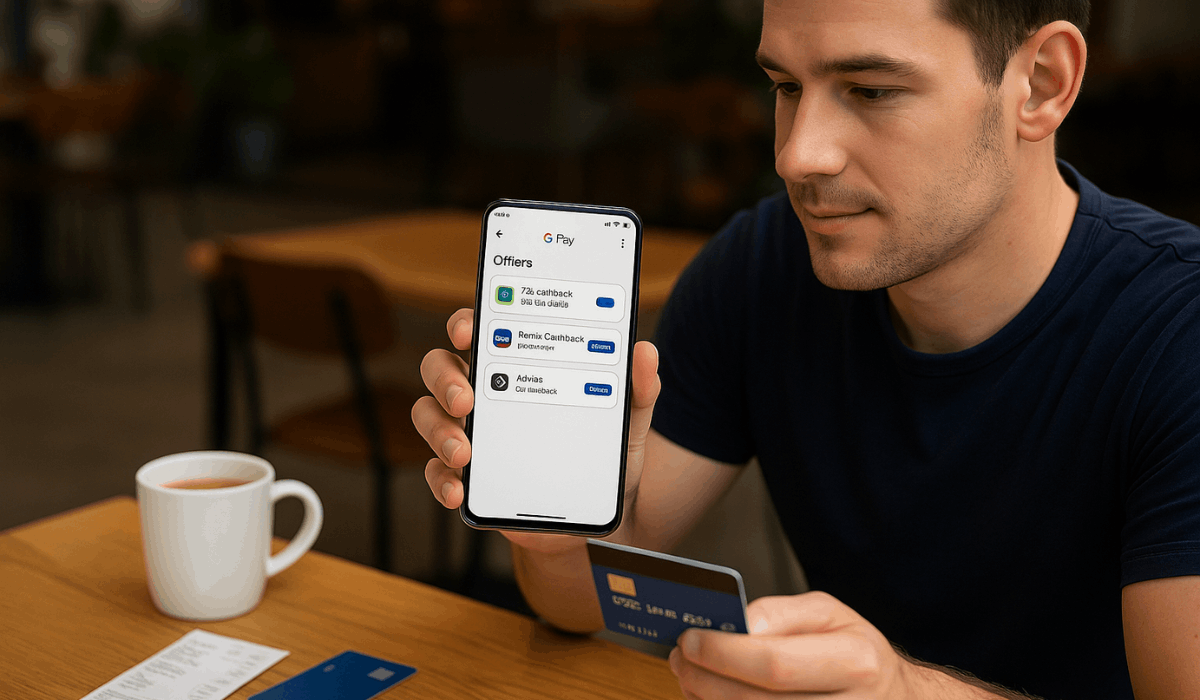
Google Pay gives you access to several hidden rewards and cashback offers if you know where to look.
These offers often come from partner banks, retailers, and app promotions. Here’s how you can find and claim them easily:
- Open the Google Pay app and tap on the “Offers” or “Rewards” section on the home screen.
- Browse available promotions from partner stores, banks, or online merchants.
- Activate the offer by tapping “Save” or “Activate” before making a purchase.
- Complete the qualifying transaction using Google Pay to earn cashback or points.
- Check your rewards balance in the “Rewards” tab or linked account after the transaction.
- Redeem your cashback directly to your bank account or use the earned credits for future payments.
Linking Loyalty and Membership Cards
Linking your loyalty and membership cards in Google Pay helps you earn and track rewards automatically.
It keeps all your points, discounts, and memberships organized in one digital wallet. Follow these steps to connect them quickly:
- Open Google Pay and navigate to the “Passes” or “Loyalty cards” section.
- Tap “Add a loyalty program” or choose “Add card” from the menu.
- Search for your preferred store or brand from the supported list.
- Scan the barcode on your physical card or enter your membership number manually.
- Save the card so it appears under your saved passes for easy access.
- Use Google Pay at checkout to earn points or discounts automatically without showing your physical card.
Hidden Benefits Through Partner Integrations
Google Pay offers several hidden benefits through its partnerships with banks, retailers, and service providers.
These integrations give you access to discounts, cashback, and faster payments you might not notice at first. Here’s how these partner features can benefit you:
- Bank Rewards Programs: Some banks offer exclusive cashback or points when you use Google Pay for debit or credit transactions.
- Retail Discounts: Partnered stores may provide instant savings or special offers for in-app purchases.
- Transit and Travel Integration: You can pay for bus, train, or metro rides directly through Google Pay in supported cities.
- Utility and Bill Payments: Selected providers allow bill payments through Google Pay, sometimes with bonus rewards.
- Event and Ticket Purchases: Partnerships with entertainment platforms let you buy and store event tickets securely in-app.
- Insurance and Finance Services: Some financial partners enable premium payments and easy policy tracking within the app.
Security and Protection Perks
Google Pay comes with built-in security and protection features that keep your transactions safe.
These hidden perks ensure your information stays private while reducing fraud risks. Here are the main security benefits you should know about:
- Tokenization: Your actual card number is never shared; Google Pay uses a virtual number for transactions.
- Biometric Verification: Payments require fingerprint, face ID, or PIN confirmation before processing.
- Real-Time Alerts: You receive instant notifications for every transaction to detect unauthorized activity quickly.
- Encryption: All data is encrypted from end to end to prevent interception or misuse.
- Fraud Detection System: Google Pay monitors for unusual patterns and automatically blocks suspicious payments.
- Purchase Protection: Eligible transactions made with linked cards may include refund or dispute options through partner banks.
Managing Spending Insights
Google Pay helps you track and understand your spending habits through built-in insights.
These tools organize your transactions, helping you see where your money goes. Here’s how you can use these features to manage your finances better:
- Automatic Categorization: Transactions are grouped by type, such as groceries, bills, or entertainment.
- Monthly Summaries: The app generates detailed summaries showing total spending and recurring payments.
- Search and Filter Tools: You can search by merchant, amount, or date to quickly find specific transactions.
- Spending Trends: Visual charts display your spending patterns over time for easier analysis.
- Budget Reminders: Set spending limits and receive alerts when you approach your target.
- Linked Accounts Overview: View all bank and card activity in one place for a complete financial snapshot.

Lesser-Known Shortcuts and Settings
Google Pay includes several shortcuts and settings that most users overlook.
These hidden tools make your transactions faster and your app experience smoother. Here are the key ones to explore:
- Quick Access Shortcut: Long-press the Google Pay icon to view recent transactions or open the payment screen instantly.
- NFC Settings: Enable or disable contactless payments directly from your phone’s settings for better control.
- Smart Reminders: Set recurring payment reminders for bills or subscriptions.
- Autofill for Online Payments: Save your card details securely to speed up checkouts across apps and websites.
- Dark Mode Option: Switch to dark mode to reduce battery usage and eye strain.
- Default Payment Method: Choose which card or account Google Pay should prioritize during tap-to-pay transactions.
Tips to Maximize Benefits
To make the most out of Google Pay, you need to use its features consistently and strategically.
Adjustments can help you unlock more rewards and security perks. Here are practical tips to maximize your benefits:
- Check Offers Regularly: New cashback and reward deals appear frequently—review them often in the “Offers” section.
- Link All Accounts and Cards: Connecting your cards and loyalty programs ensures you never miss points or rewards.
- Update the App Frequently: Keeping Google Pay up to date helps you access new features and enjoy improved security.
- Enable Notifications: Turn on alerts to stay informed about cashback offers, discounts, and suspicious activity.
- Use Verified Merchants: Always transact with trusted businesses to qualify for complete protection and reward eligibility.
- Explore Regional Features: Some benefits, like transit payments or local offers, are only available in certain regions.
How to Download Google Pay
Before exploring the hidden benefits, you need to have Google Pay installed on your device.
The download process is simple and takes only a few minutes. Follow these quick steps to get started:
- Open your app store: Android users should open the Google Play Store, while iPhone users should open the App Store.
- Search for “Google Pay.”
- Select the official app developed by Google LLC to ensure authenticity.
- Tap “Install” (on Android) or “Get” (on iPhone).
- Open the app once installation is complete.
- Sign in with your Google Account and follow the setup prompts to add your payment methods.
Final Takeaway
Google Pay offers more than convenient payments—it’s a powerful platform designed for rewards, security, and smarter financial management.
By discovering its hidden benefits, you can turn everyday transactions into opportunities for savings and control.
Start using Google Pay today to experience its full potential and make your payments work for you.